Wednesday, June 1, 2016

Deep Freeze Standard 7.22 + Serial Key


Deep Freeze Standard 7.22 + Serial Key

DeepFreeze  เป็นโปรแกรมป้องกันการเปลี่ยนแปลงข้อมูลใน  Hard disk จะเรียกว่า Protec Hard disk ก็ได้ 
หรือบางคนอาจจะเรียกว่า Recovery Hard disk ก็ไม่ผิด เพราะหลักการของโปรแกรม DeepFreeze นี้ คือ 
เมื่อ Restart Windows ข้อมูลและโปรแกรมทุกอย่างก็จะกลับมาเหมือนเดิม ซึ่งจะช่วยเราได้หลายเรื่อง 
โดยเฉพาะการป้องกันปัญหาการติด Virus Computer เพราะพวกโปรแกรม Anti Virus ทั้งหลายบอกกันตรงๆ 
มันไว้ใจได้ไม่ถึง 100 % แต่ถ้าติดตั้ง DeepFreeze เอาไว้ ถึงเครื่องเราจะโดน Virus Computer ตัวใหม่ล่าสุด 
เราเพียงแค่ Restart Computer ของเราเท่านั้น เครื่อง Computer ของเราก็ปลอดจากเจ้า Virus Computer ทันที

  • กดปุ่ม Ctrl + Alt + Shift + F6 จะได้หน้าต่างสำหรับใส่พาสเวิร์ด


  • ที่หน้าต่าง Status นี้ ตัวเลือกที่สำคัญคือบริเวณ Status on Next Boot โดยมีความหมายดังนี้

    • Boot Frozen  หมายถึง ทุกครั้งที่เปิดเครื่องใหม่ หรือ Restart Computer ให้โปรแกรมกลับมาเป็นเหมือนเดิม คำว่าเหมือนเดิมของผมก็คือ ข้อมูลครั้งล่าสุดที่เราได้สั่งให้โปรแกรมนี้มันจำเอาไว้นั้นเอง
    • Boot Thawed on Next ..... Restarts หมายถึง เมื่อ Boot เครื่องใหม่ หรือ Restart Computer ครั้งต่อไป  Drive  ที่เลือกไว้จะกลายเป็นสถานะ Boot Thawed  คือสามารถลงโปรแกรมต่างๆ ได้โดยไม่หายไป และมันจะอยู่ในสถานะ Boot Thawed ตามจำนวนครั้งที่ใส่เลขเอาไว้  เมื่อครบจำนวนครั้งแล้ว พอเรา  Boot เครื่องครั้งต่อไปหรือ Restart Computer มันก็จะเปลี่ยนสถานะกลับมาเป็น Boot Frozen เหมือนเดิม
    • Boot Thawed หมายถึง สถานะที่เราสามารถติดตั้งโปรแกรมใหม่ได้  เก็บข้อมูลลง  Hard  disk  ได้ โดยจะไม่ถูกลบออกไปเมื่อปิดเครื่อง    แต่สิ่งที่ต้องระวังเป็นอย่างยิ่งในขณะอยู่ในสถานะนี้ก็คือ อาจมีการติด Virus Computer หรือโปรแกรมที่เราไม่พึงประสงค์ได้ด้วยเช่นกัน  และเมื่อเราสั่งป้องกัน  Drive  พวก Virus Computer และโปรแกรมเหล่านี้ก็จะถูกป้องกันเข้าไว้ด้วย  ดังนั้นขณะที่อยู่ในสถานะนี้แนะนำว่าไม่ควรต่อ  Internet   หรือต่อเท่าที่จำเป็นเท่านั้น  และไม่ควรนำ  Handy drive จากเครื่องอื่นมาเสียบต่อ    และเมื่อเสร็จงานแล้วควร  Scan ไวรัสก่อน แล้วจึงจะทำการป้องกัน Drive โดยกลับไปเลือกสถานะ Boot Frozen


    Nero 8 Ultra Edition 8.3.6.0 thai + KeyGen

    Nero 8 Ultra Edition 8.3.6.0 (Full + Key) ภาษาไทย


    Nero 8 Ultra Edition เป็นโปรแกรมสำหรับเขียนหรือไรท์แผ่น ไม่ว่าจะเป็น ข้อมูล ภาพ เสียง วิดีโอ หรือการสำรองข้อมูล ซึ่ง Nero 8 ได้รวมเอาไว้มากกว่า 16 โปรแกรมรวมอยู่ในชุด Nero 8 นี้ โดย Nero  นั้นมีเทคโนโลยีที่ช่วยในการอ่านและเขียนข้อมูลได้อย่างรวดเร็ว มีประสิทธิภาพ ทำให้ไรท์ข้อมูลลงแผ่น CD/DVD ได้เป็นอย่างดี โดยไม่เกิดความเสียหายในขั้นตอนการ Burn ข้อมูล สามารถสร้างหน้าปก CD/DVD ในรูปแบบที่เราต้องการ ซึ่งสามารถเข้าใช้งานคุณสมบัติต่างเหล่านี้ได้โดยผ่านได้ผ่าน Nero StartSmart ซึ่งเป็นศูนย์กลางฟังก์ชันทั้งหมด ถึงแม้ว่าปัจจุบัน Nero จะได้ออกเวอร์ชั่นล่าสุดมาคือ 2016 แต่จากสถิติพบว่า ผู้ใช้ส่วนมากยังคงใช้ Nero 8 อยู่ เพราะใช้งานง่าย ไม่ซับซ้อน และไม่กินเนื้อที่มากเกินไป สำหรับท่านใดที่กำลังหา Nero 8 ตัวล่าสุดอยู่ ดาวน์โหลดไปใช้กันได้เลยครับ

    System requirements:
    System Requirements:-DVD-ROM drive for the installation
    -Windows ® 2000 (SP4 or later), Windows ® XP (SP1 or later), Windows ® Server ™ 2003 (SP1 or later), Windows ® XP Media Center Edition Windows Vista ®
    -Gadgets are not available for Windows Vista ® x64
    -Nero ImageDrive currently supports Windows ® 2000 and Windows ® XP (32 Bit only)
    -Windows ® XP Professional x64, Windows ® Vista ® x64 (all applications except InCD, and Nero Scout work in the x86 emulator, which allows 32-bit applications to run)
    -DirectX 9.0c or better
    -Windows ® Internet Explorer ® 6.0 or higher
    -1 GHz Intel ® Pentium ® III processor, AMD Sempron ™ 2200 + or equivalent
    -Minimum 256 MB RAM (for Windows Vista ® minimum 512 MB RAM)
    -1.2 GB hard drive space for standard installation of all components
    -Up to 9 GB available drive space for DVD images and temporary DVD files
    -Graphics card with at least 32 MB video memory and a minimum resolution of 800 x 600 pixels and 16-bit color settings. However, we recommend 24-bit or 32-bit for true color.
    -CD and / or DVD / DVD-RAM recorder
    -Installation of the latest WHQL (Microsoft ® Windows ® Hardware Quality Labs) certified device driver strongly recommended
    -Internet connection with DSL 1000 speed or higher for the registration and the update of the Nero 8 help files and other functions. It is also required for the activation of the complete functional range (DVD, MPEG-2, MPEG-4, and AVC), which will be required 30 days after installation. This activation is free of charge. The costs for the Internet connection are carried by the user.
    -To install Nero 8 you must have administrative rights for all operating systems higher than Windows ® 2000.
    -For capturing and burning in real time: at least 1.6 GHz Intel ® Pentium ® 4 processor or AMD Sempron ™ 2600 +
    -At least 1.4 GHz Intel ® Pentium ® processor with 256 RAM for TV recording and DVD video editing
    -Drive with SecurDisc support
    -16-bit Windows ® compatible sound devices and speakers


    Monday, May 30, 2016

    ACDsee Pro 9.0 Build 439 (64Bit-32Bit) Free

    Download ACDSee Pro 9.0 Build Free [Full + Keygen]


    ACDSee Pro 9 คือ โปรแกรมจัดการ ตกแต่ง และดูรูปภาพชื่อดังที่พัฒนาโดยบริษัท ACD Systems
    International Inc. เป็นโปรแกรมที่ได้รับนิยมมากที่สุดอีกตัวนึง มีลูกเล่นหลากหลาย โปรแกรมใช้งานง่าย สวย และประสิทธิภาพการทำงานสูง โดยมีความเร็วในการเปิดไฟล์ภาพที่ดีมาก ๆ แม้ไฟล์รูปจะ
    ขนาดใหญ่แค่ไหนก็ไม่เป็นอุปสรรค อีกทั้งโปรแกรมยังสามารถแต่งรูป แปลงไฟล์รูป และใช้เปิดดู
    รูปได้อีกด้วย ซึ่งเรยีกได้ว่าใช้แต่งรูปแทน โปรแกรมแต่งรูปได้เลย สามารถปรับสี ปรับแสง ปรับ
    ความเข้ม ตัดรูป ย่อ/ขยายรูปภาพ แทรกรูปภาพข้อความได้ และบันทึกเป็นไฟล์รูปภาพอื่น ๆ เพื่อ
    แปลงไฟล์ได้ อีกทั้งยังมีระบบค้นหารูปภาพที่อัจฉริยะอีกด้วย สามารถค้นหารูปภาพได้แม่นยำและรวดเร็ว เปิดดูรูปได้หลากหลายสกุล เช่น JPEG, TIFF, PSD, GIF, BMP ฯลฯ อีกทั้งยังรองรับระบบปฏิบัติการ Windows รุ่นใหม่อย่าง Windows 8 /8.1 ได้อย่างสมบูรณ์
    ความต้องการของระบบ
    Hardware:
    – Intel® Pentium® III / AMD Athlon processor or equivalent (Intel® Pentium® 4 / AMD Athlon XP or equivalent recommended)
    – 512 MB RAM (1 GB RAM recommended)
    – 310 MB free hard drive space (1 GB recommended)
    – High Color display adapter at 1024 x 768 resolution (1280 x 1024 recommended)
    Software:
    – Microsoft® Windows® 7 (SP1), Windows® 8, Windows® 8.1 & Windows® 10
    – Microsoft® Internet Explorer® 9+
    – Microsoft® DirectX® 9.0c
    – Windows Media® Player 9.0


    Wednesday, May 18, 2016

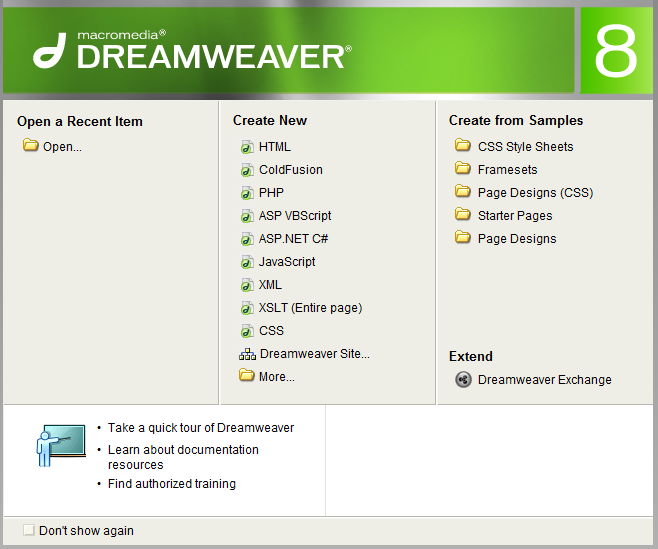
    Macromedia Dreamweaver 8 + Key


    Macromedia Dreamweaver 8 + Key

    FULL Macromedia Dreamweaver 8 + Key


    Dreamweaver 8 Full Version | Free Web Designing Software

    Dreamweaver 8 is a web designing software, which help you to improve your site editing, designing, coding, html development, dynamic web design, mysql and so on. Its a heavy duty web designing software.


    Tuesday, May 17, 2016

    Revo Uninstaller Freeware Portable Full

    Revo Uninstaller Freeware Portable 


    Revo Uninstaller Pro คือโปรแกรมที่จะช่วยให้คุณสามารถถอนการติดตั้งซอฟแวร์และลบโปรแกรมที่ไม่ต้องการได้อย่างง่ายดาย! แม้ว่าคุณจะมีปัญหาในการถอนการติดตั้งและไม่สามารถถอนการติดตั้งโปรแกรมที่ต้องการผ่านทาง “Windows Add or Remove Programs” control panel  
    ด้วยอัลกอริทึมที่ทันสมัยและรวดเร็วของ Revo Uninstaller Pro วิเคราะห์ข้อมูลของโปรแกรมก่อนที่จะถอนการติดตั้งและสแกนเศษซากที่เหลือหลังจากที่ถอนการติดตั้ง พวกรีจิสทรีคีย์ที่มักจะเหลือในคอมพิวเตอร์ของคุณ Revo Uninstaller Pro ก็สามารถค้นหาและลบมันได้อย่างง่ายดาย
    Revo Uninstaller เป็นโปรแกรมที่เร็วและมีประสิทธิภาพมาก และแน่นอนว่ามันดีกว่า “Windows Add or Remove Programs” ของ Windows เพราะมันมีคุณสมบัติที่มีประสิทธิภาพมากในการถอนการติดตั้งและลบโปรแกรม
    Here is the list of the tools and utilities included in Revo Uninstaller:
    • Auto Start Manager – Stop programs that start automatically on Windows startup; speed up loading of Windows!
    • Windows Tools Manager – Handy and useful tools bundled with every version of Windows; easily find useful system tools and options!
    • Junk Files Cleaner – Find and remove unnecessary files from your computer; free up disk space and delete files you do not need!
    • Browsers History Cleaner – Erase web browser history, visited pages history and temporary internet files of Internet Explorer, Firefox, Netscape and Opera web browsers; free up a lot of disk space by deleting temporary internet files like temporary saved videos, temporary flash files, temporary pictures etc!
    • Office History Cleaner – Remove the history of most recently used files in MS Office; remove your tracks by deleting the list of last opened MS Office documents!
    • Windows History Cleaner – Remove the history of recently opened files, delete temporary files, remove usage tracks and other history items that are saved by Windows; remove your tracks saved by Windows for a lot of operations!
    • Unrecoverable Delete Tool – Erase files and folders forever; be sure that nobody could recover your files and folders after deleting!
    • Evidence Remover – Make sure already deleted files, folders and other data are unrecoverable; securely erase your data!
    >>> FREELOAD Revo Uninstaller <<<

    Monday, May 16, 2016

    Advanced IP Scanner

    Advanced IP Scanner     


    Free network scanner

    • Easy access to shared resources
    • Discovery of all network devices
    • Remote control via RDP and Radmin
    • Switching on/off computers remotely
    Reliable and free network scanner to analyse LAN. The program shows all network devices, gives you access to shared folders and FTP servers, provides remote control of computers (via RDP and Radmin), and can even remotely switch computers off. It is easy to use and runs as a portable edition. It should be the first choice for every network admin.

    Key Features

    Export scan results to CSV

    Remote access

    MAC address detection

    Remote Wake-On-LAN and
    Shut down

    Easy access to network shares

    No installation required


    • เข้าถึงแฟ้มแบ่งปันและเซิร์ฟเวอร์ FTP ได้ง่าย
    • สแกนอุปกรณ์ระบบเครือข่ายทั้งหมดอย่างรวดเร็ว
    • ควบคุมจากระยะไกลสำหรับคอมพิวเตอร์ผ่าน RDP และ Radmin
    • เปิด/ปิดตัวสลับคอมพิวเตอร์ระบบเครือข่ายได้จากระยะไกล
    ระบบสแกนเครือข่ายที่ฟรีและไว้วางใจได้สำหรับการวิเคราะห์ระบบ LAN โปรแกรมจะสแกนอุปกรณ์ระบบเครือข่ายทั้งหมด ให้คุณสามารถเข้าถึงโฟลเดอร์แบ่งปันและเซิร์ฟเวอร์ FTP ให้การควบคุมคอมพิวเตอร์จากระยะไกล (ผ่าน RDP และ Radmin) และยังสามารถแม้แต่ปิดคอมพิวเตอร์ได้จากระยะไกลด้วย ใช้งานง่ายและงานในรูปแบบระบบเคลื่อนที่ เป็นทางเลือกอันดับแรกสำหรับผู้ดูแลระบบเครือข่าย

    คุณสมบัติเด่น

    ส่งออกเป็น CSV

    เข้าถึงจากระยะไกล

    การตรวจจับที่อยู่ MAC

    เปิดเครื่องผ่านแลน (Wake-On-LAN)
    และปิดเครื่องจากระยะไกล

    เข้าถึงทรัพยากรที่พบได้ง่าย

    ไม่จำเป็นต้องติดตั้ง


    Acrobat X Pro 10-11 โปรแกรมสร้างและแก้ไขไฟล์ PDF FULL Free

    Acrobat X Pro 10 โปรแกรมสร้างและแก้ไขไฟล์ 

    และ PDFAdob.Acrobat.XI.Pro.11.0.12


            โปรแกรมสร้างและแก้ไขไฟล์ PDF โดยปกติแล้วเรานิยมใช้โปรแกรม Adobe Reader อ่านไฟล์ PDF แต่โปรแกรมนี้ไม่สามารถแปลงไฟล์หรือแก้ไขไฟล์ PDF ได้ ดังนั้นหากต้องการสร้างและแก้ไขไฟล์ PDF จะต้องใช้โปรแกรม Adobe Acrobat Pro หรือ โปรแกรม Acrobat X Pro เท่านั้นครับ ความสามารถของเจ้าโปรแกรม Adobe Acrobat นี้มีมากมายครับไม่ว่าจะเป็นการอ่านไฟล์เอกสาร PDF, แปลงหรือสแกนเป็น PDF, การแปลงไฟล์ PDF, สร้างเอกสาร PDF, การส่งออกและแก้ไขไฟล์ PDF และอื่นๆ อีกมากมาย ใครที่มีโปรแกรม Adobe Reader อยู่ในเครื่องแล้วจะลองดาวน์โหลดโปรแกรม Acrobat X Pro 10 ไปใช้งานอีกตัวก็คงไม่น่ามีปัญหาครับรับรองว่าได้ใช้ประโยชน์แน่นอนครับ 


    สร้างและแก้ไขไฟล์ PDF ดีที่สุด
    จิ้มเลย โหลดฟรี
    Free load Acrobat X Pro 10
    >>  >> Acrobat X Pro 10 <<  <<

    >>  >> Acrobat XI Pro 11 <<  <<